FMI export with OpenModelica#
estim8 uses models distributed as Functional Mock-up Units (FMUs) and executes them via the FMPy library. Any tool that exports FMI 2.0-compliant FMUs can be used; OpenModelica is the recommended open-source option.
FMU compilation#
Download OpenModelica and follow the installation instructions
Open OMEdit
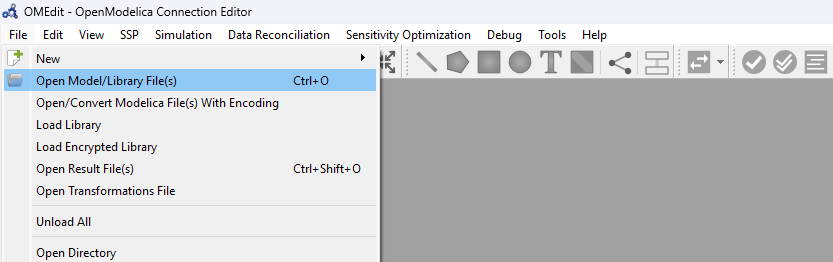
Load a Modelica class via File → Open Model/Library File(s), or implement a new one
Optional: For
CoSimulation, open Tools → Options → FMI and set the solver toCVODE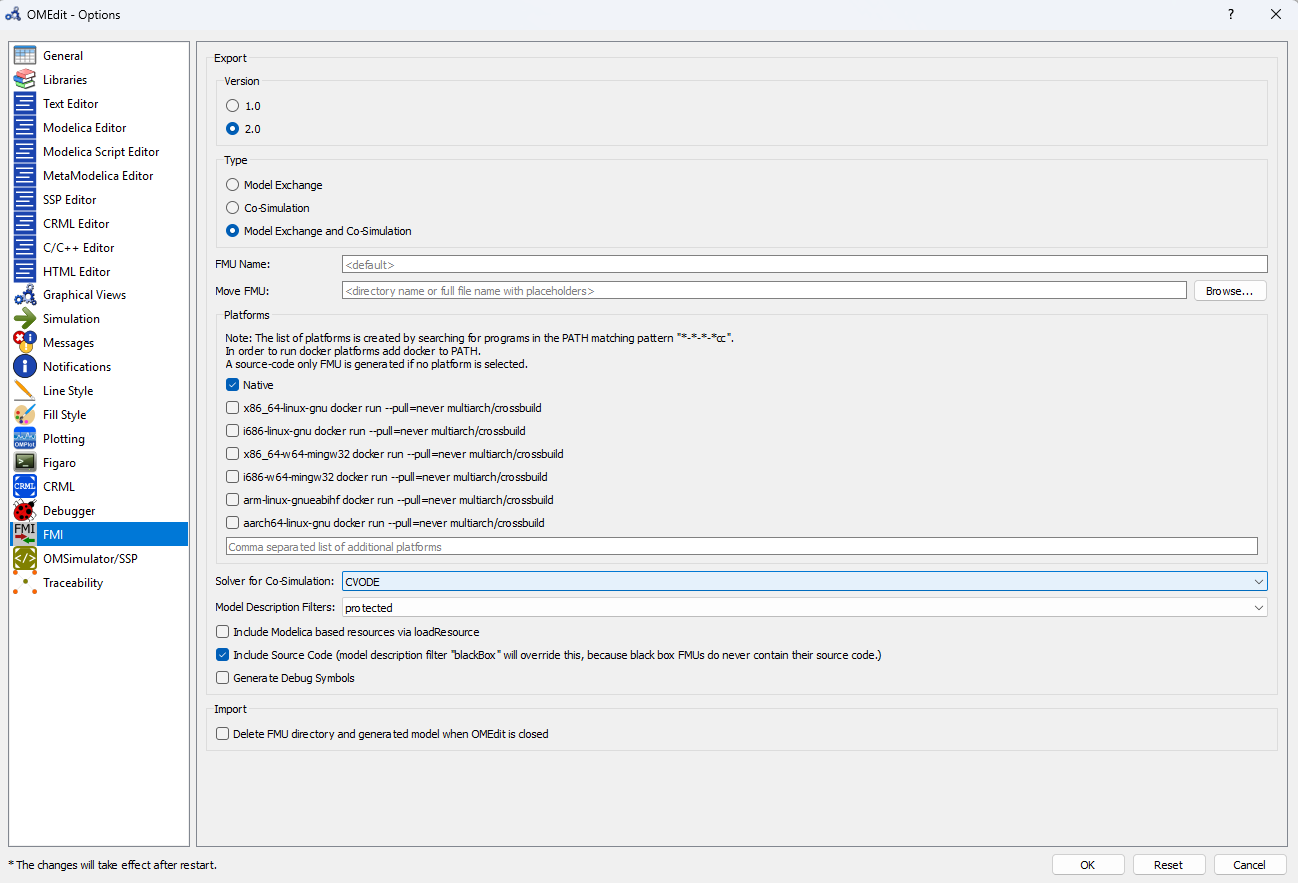
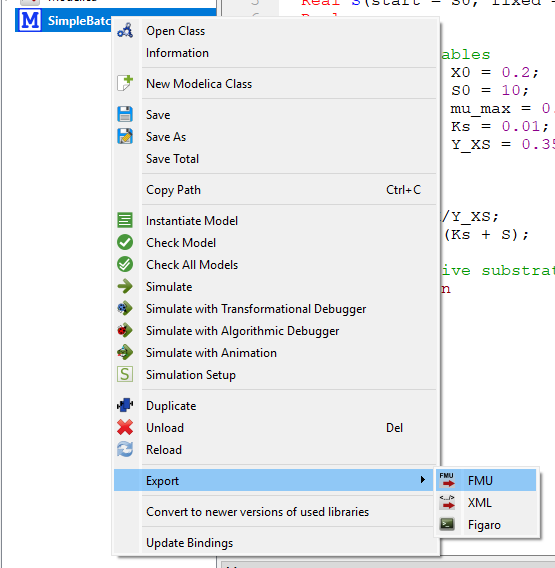
Right-click the model class in the model browser and select Export → FMU
Alternatively, compilation can be scripted with OMPython:
from OMPython import ModelicaSystem

model = ModelicaSystem("MyModel.mo", "MyModel")
model.convertMo2Fmu()   # writes MyModel.fmu to the working directory
Important
FMUs are platform-specific.
An FMU contains compiled native binaries (e.g. binaries/linux64/MyModel.so on Linux,
binaries/win64/MyModel.dll on Windows).
An FMU compiled on one operating system will not run on another.
Always compile the FMU on — or for — the platform where parameter estimation will be executed. When running on a compute cluster or inside a container, compile the FMU in the same environment.
Using the FMU in estim8#
Pass the path to the compiled FMU to FmuModel:
from estim8 import FmuModel

model = FmuModel(
    path="MyModel.fmu",
    fmi_type="ModelExchange",   # or "CoSimulation"
    default_parameters={"k": 1.0},
)
Both the ModelExchange and CoSimulation FMI interfaces are supported.
ModelExchange integrates the model equations directly using a Python-side ODE solver,
while CoSimulation delegates time integration to the solver embedded in the FMU.